A nice feature of Tableau (Server) is that you can create data sources with multiple connections, including to files – for example a few database tables, joined/related to a static Excel file (because there’s a small set of data that’s not in your DB), or maybe to a shapefile.
Then you can publish the data source, check the “Include External Files” box, and when refreshing your extract (or connecting live), the file is simply there. Static.


But what happens when you publish the same data source to Tableau Cloud?
It turns out that this doesn’t work. The documentation states very clearly that it should work:
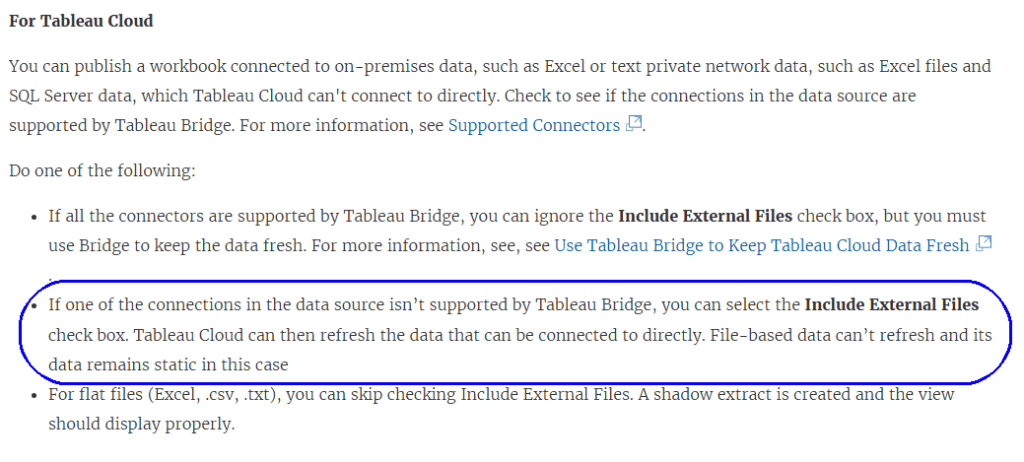
But after testing thoroughly, and opening a case with Tableau Support, I can confirm that this causes an error on Tableau Cloud.
If you publish a refreshable/live data source with a static file included, even after checking “Include External Files”, any attempt to connect or refresh extracts returns an error, as Tableau Cloud tries to access the file(s).

This happens both with direct database connections and with Tableau Bridge. Now, obviously, from a technical point of view you can use a Bridge connection to connect to the file on a UNC path, but probably that’s exactly what the developer of the data source was trying to avoid.
Why is this an issue?
One of my customers is migrating from Tableau Server to Cloud, and has dozens of data sources that include static files. They discovered the problem only after trying to refresh the extracts on Cloud. All of them now have to be modified – mostly by loading the file into a database table.
This issue is a major difference in functionality between Server and Cloud, but it is undocumented and doesn’t appear in any migration guides. So it’s important for the community (that’s you – my readers) to know about it, and take it into account for future migrations, at least until the documentation is corrected.
 BI Stories
Leave a comment