Recently I was asked, not for the first time, if Tableau could sort dates in a filter in descending order. Well – it can, sort of. But you need to know how to manipulate the fields a bit.
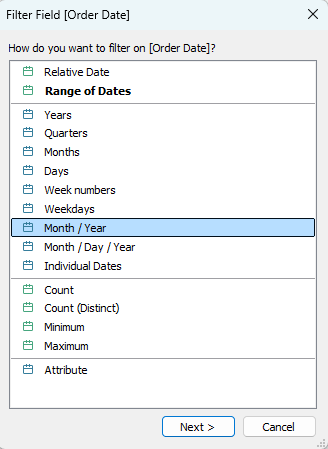
Let’s take a simple case: I want to filter by month and year, but to see the latest month at the top of the list. So I drag my Order Date field to the Filters card, and select the Month / Year option.
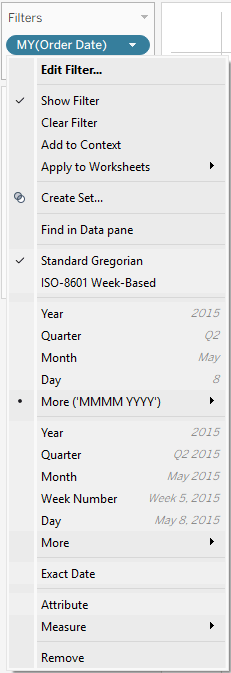
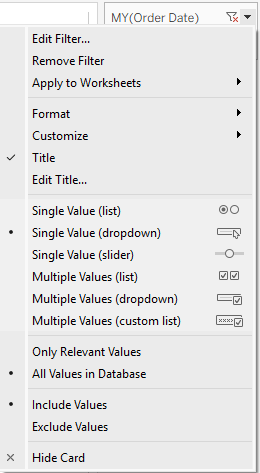
Now I can look at the menus in both the Filter card and the worksheet itself (after showing the filter), and there is no “Sort” option in either.
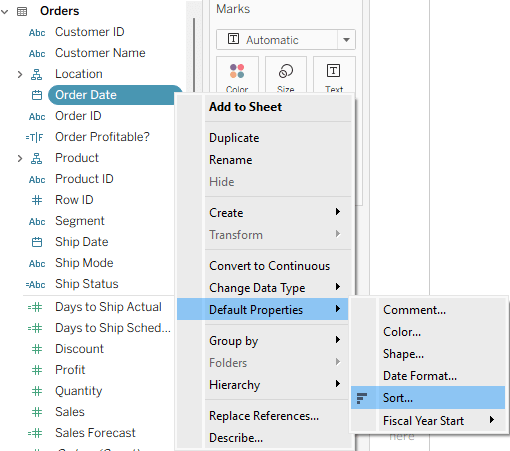
So I’ll try to set the default sorting of the Order Date field to descending order, using the menu: Default Properties → Sort, and then checking the Descending option.
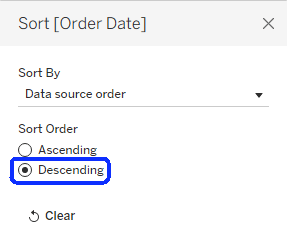
Then I drag the field to Filters again, and… it stays in ascending order.
But what if I choose the Individual Dates option? Suddenly, the dates appear in descending order, but I have every date (day) there. It doesn’t work if I select any other date level.
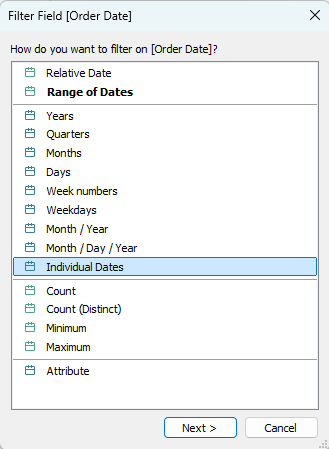
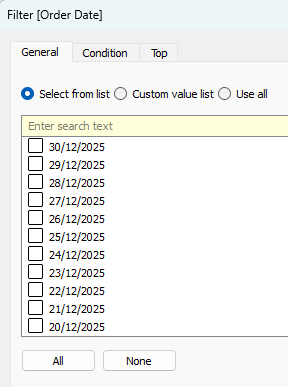
So what’s happening here? Dates are a special type of field, and Tableau automatically aggregates them unless told otherwise – to years, months, or some other level. And it always sorts the aggregated dates in ascending order. The Individual Dates option is the only one that is not aggregated, so it retains the default sorting.
How can we work around this problem? Let’s say that we need a filter displaying months, and sorted in descending order. We first need to create a field that has individual dates at the month level. There are two ways of doing this:
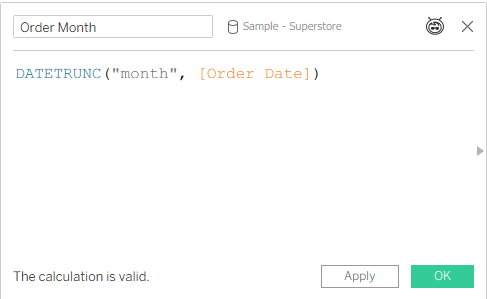
- Create a calculated field, using the DATETRUNC function (more about that in a previous post), and also set its default format to something appropriate.
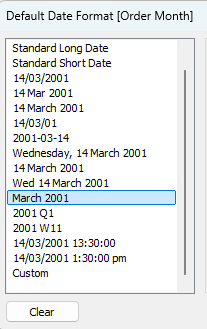
- Create a Custom date field – one of the lesser known functions in Tableau. Select the “Months” option and “Date Value“.
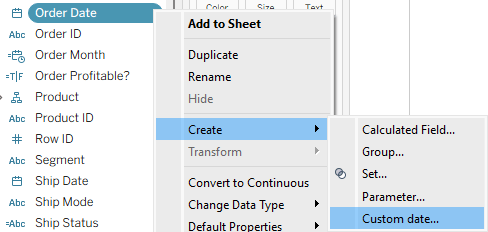
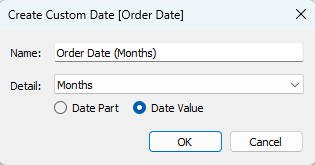
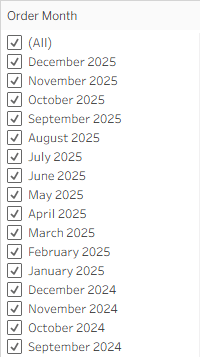
Now we can set the default sorting for the field, drag it to the filters, select the Individual Dates option, and the months will appear in descending order. Mission accomplished!
Summary
We now know that there are two conditions that have to be met in order to see dates in descending order in a date filter:
- The default sorting of the date field is set to “Descending”.
- The filter is not aggregated, but showing individual dates.
We can manipulate the dates as necessary, but in the end those two conditions have to be met. All the rest is the usual Tableau trickery 😊
 BI Stories
Leave a comment