Recently, not for the first time, I was contacted by a Tableau customer: “We have a published data source, but after we refreshed the extract, the data in the dashbords isn’t updating!”. Why? Caching? A wrong connection? No – they had extracted the extract. As I’ve seen this mistake quite often, I’ll elaborate a bit.
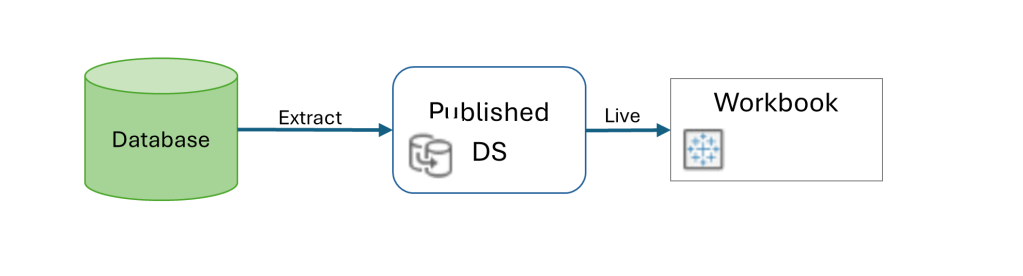
When you’re using a published data source (on Tableau Server or Cloud), the mode – live or extract – is defined in the data source. Afterwards, when connecting to the DS from a workbook, the connection has to be live, because you’re querying the DS directly in both cases. If it’s live, the queries to the database are sent through the DS definition, and if it’s an extract the data is queried from the extract on the server.
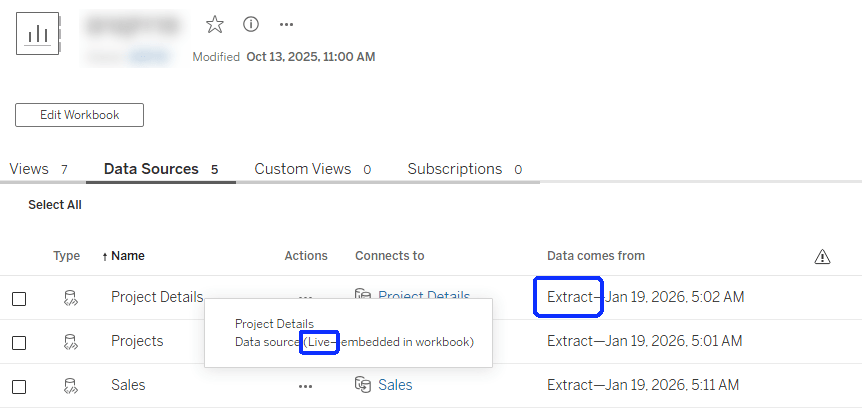
The mistake is in thinking that because the data is extracted, the DS has to be defined as an extract within the workbook as well. That will actually create another extract, at the workbook level, that simply pulls all the data from the published DS and saves it within the workbook. And then, if you refresh the original DS data, the workbook is still using its own extract (which hasn’t been refreshed), and the dashboard data isn’t updated.
So this is the correct configuration:
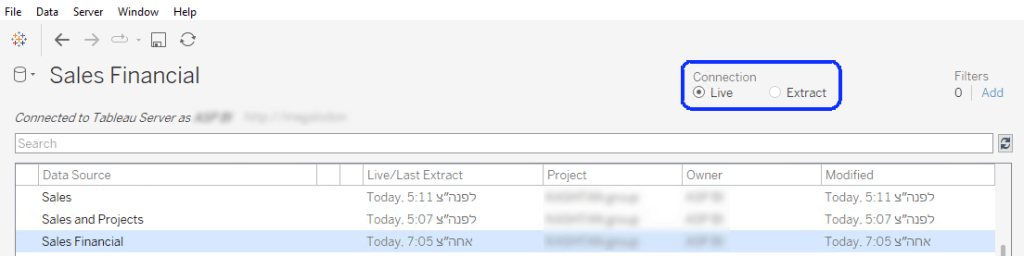
In Tableau Desktop:
And on the server it should look like this:
And next time you encounter a workbook that’s “stuck” with outdated data, just make sure that you haven’t extracted the extract by mistake!
 BI Stories
Leave a comment