Even when you’ve been working with Tableau for over a decade, there can be some small features that you haven’t encountered. That’s what happened to me very recently, while working on a customer dashboard.
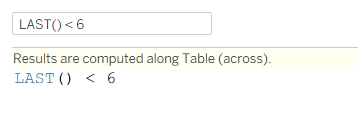
I was filtering a table of data, that included totals, using a table calculation, to get the last 6 (or N) months – something like this:
And this is what I saw:
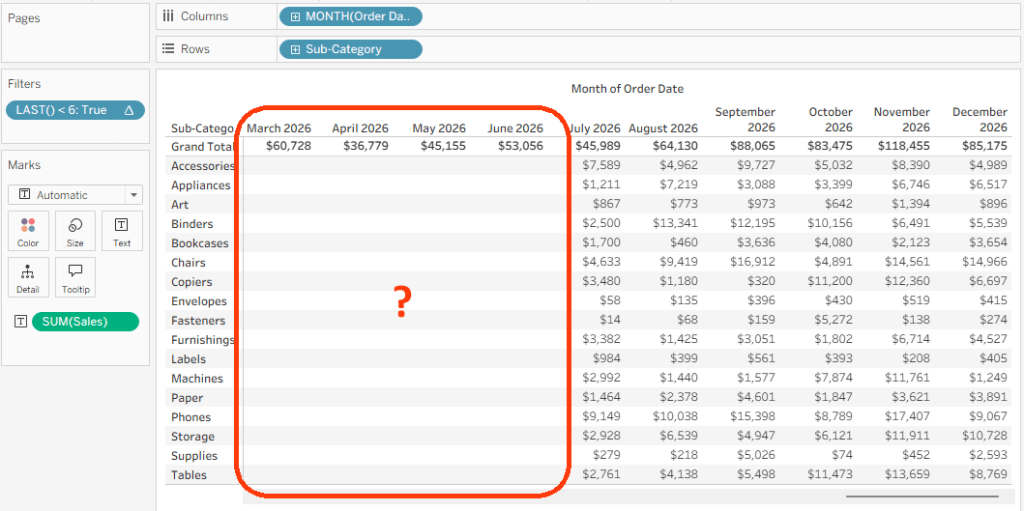
The data was filtered, but the Grand Total row wasn’t being filtered, and for a moment I was worried that I would need some complicated calculations to overcome a strange “bug”.
However, I played around a bit, and almost immediately saw something I had never noticed before: an “Apply to Totals” menu option in the filter card, available only for table calculations. Select it, and the totals are filtered as well.
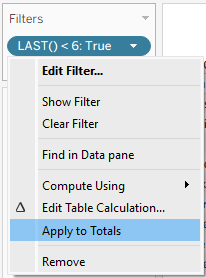
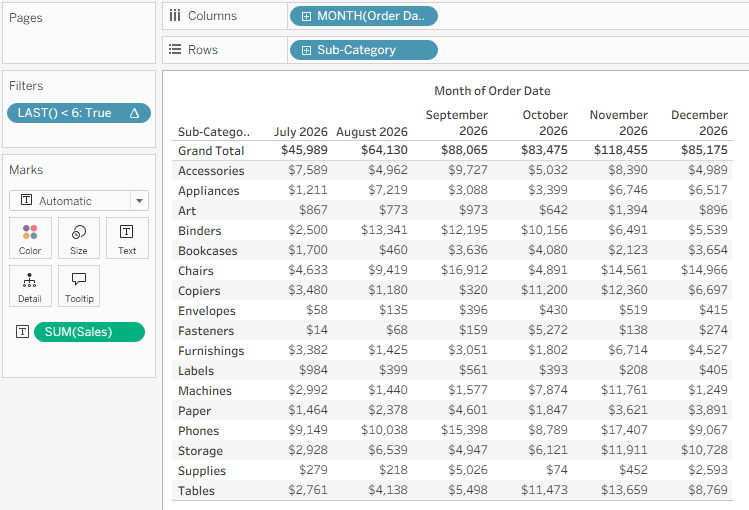
You won’t use it just now, but if you encounter a similar problem at some point, hopefully you’ll remember this small tip, and go straight to the menu option.
And before you ask – yes, I checked, it is available in Web Edit as well.


Leave a comment