Tableau won’t always behave exactly the way you want, but if you know and understand how it works, you can apply simple solutions for many of the small irritants. This is one of them.
I was asked this question about a percentage filter. The worksheet is filtered by a percentage measure, and there’s a quick filter by range, with type-in values – which looks OK, until the user tries to type in the value, and discovers that instead of “10%” or “10”, she has to type in “0.1”.
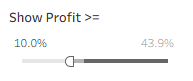

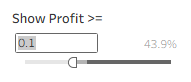
The measure is already formatted as a percentage, so what can a person do?
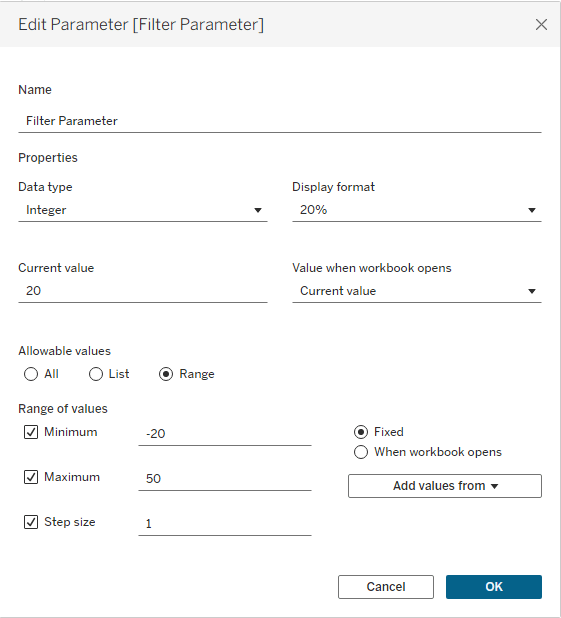
First, create a parameter with the desired range of values.
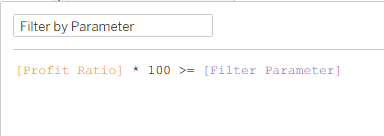
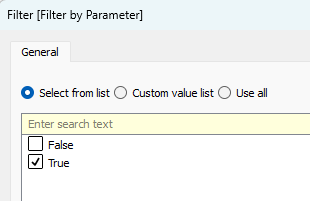
Next, create a calculated field filtering by the parameter, drag it to the Filters pane, and select “True”.
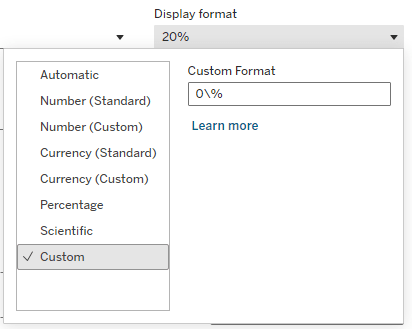
Now comes the trick. Format the parameter with the custom format “0\%”. Unlike the “0%” format, which will multiply the value by 100 in the display (try it), the backslash is an escape character that is not shown, and renders the following character as a simple text. So the “0” format is a regular number, and “\%” just adds a % suffix.
Now, when the user clicks in the box to type in the value, she can type in the actual percentage number.
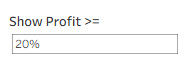
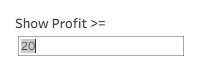
Mission accomplished.


Leave a comment